Difficulty
Moderate
Steps
4
Time Required
- Hondata FlashPro Install 4 steps

In Progress
This guide is currently being written. Reload periodically to see the latest changes.

Private
This guide will not appear in search results and can only be viewed by team members!
Quiz
0
-
-
Begin by going to Hondata.com and downloading the latest version of Flashpro Manager.
-
Click on the Flashpromanager link on the Flashpro page to start the download.
-
-
-
-
Locate the OBD2 port below the dashboard on the driver side.
-
Plug your Flashpro into the port.
-
Switch on the ignition but do not start the engine. This will send the vehicle information to the Flashpro that you will need to lock the Flashpro to your ECU.
-
-
-
Plug your Flashpro into your computer with the supplied USB cord. Driver installation may be required.
-
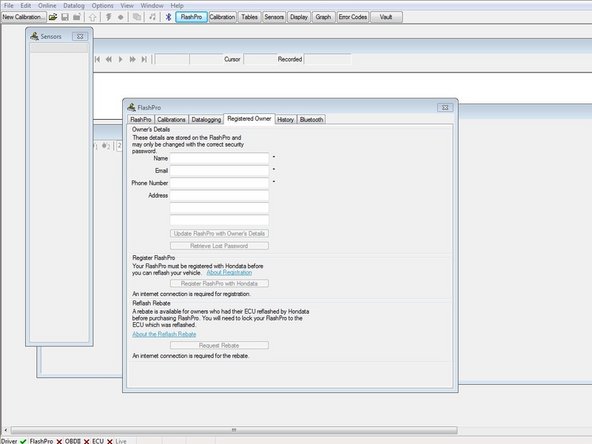
Click on the Flashpro button at the top of the Flashpro manager. This will open up the window to fill out information to register with Hondata.
-
Click the Online button at the very top of the Flashpro manager window. This will open a drop down box for you to select to lock your Flashpro to your vehicle.
-
-
-
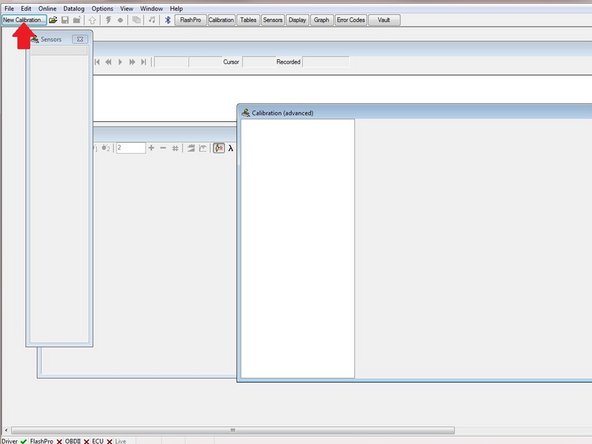
Select the New Calibration button at the top to open a calibration.
-
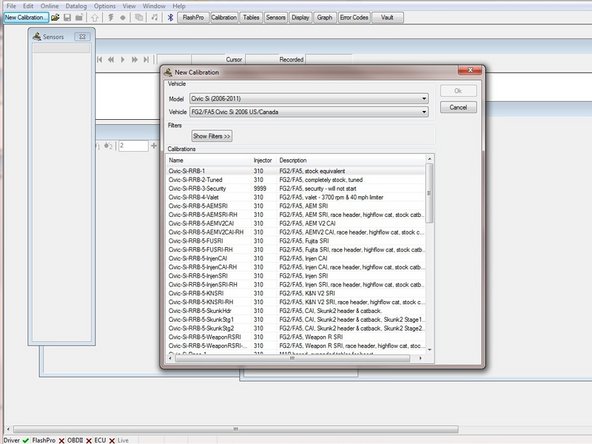
Select your model and vehicle information.
-
Select a calibration based on your engine modifications
-